
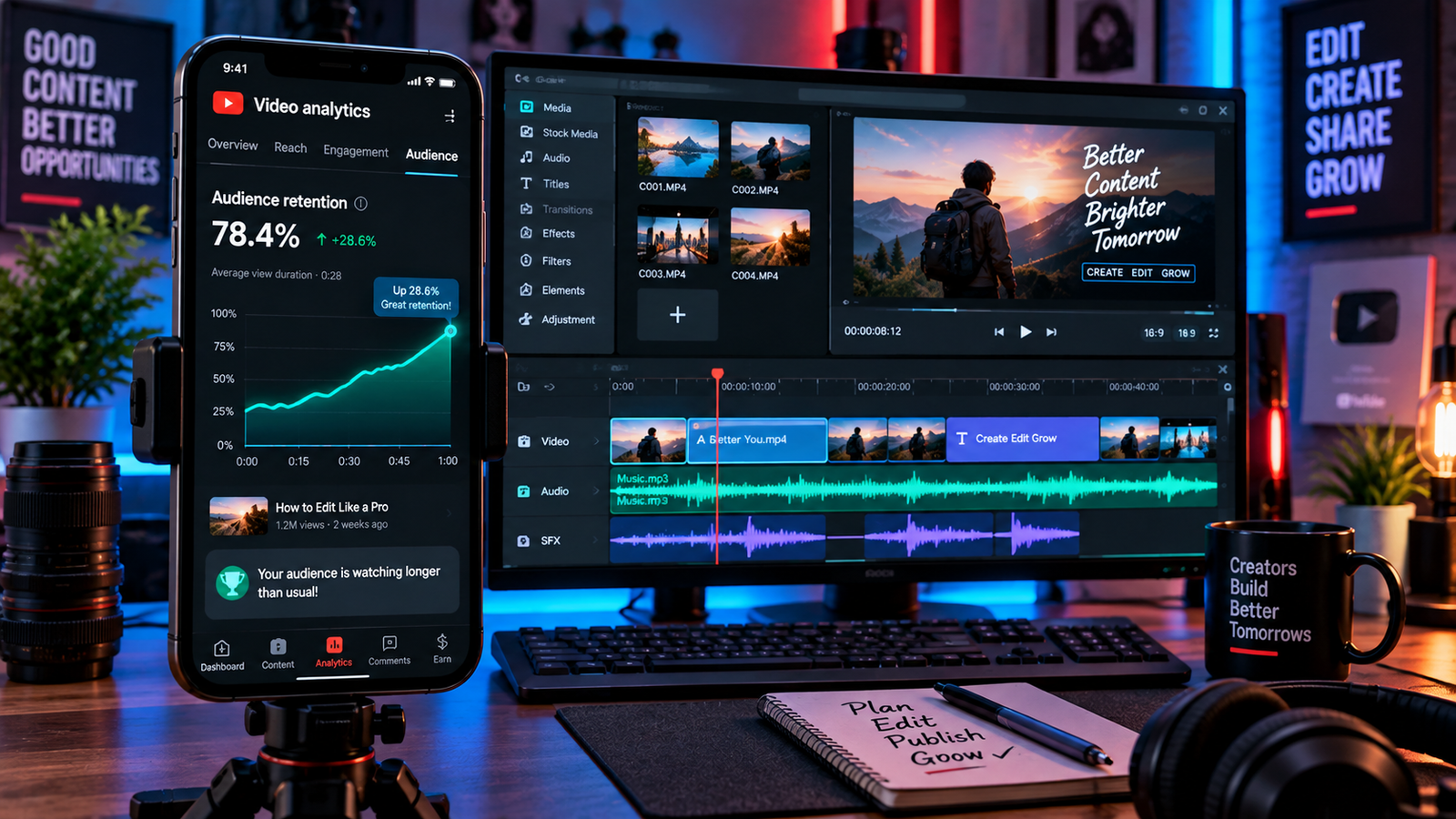
Publishing a vertical video on YouTube only to watch viewer traffic stall shortly after upload is a common challenge for creators. While overall distribution depends on several factors—including audience interest in the topic, current competition, and viewer demand—one significant factor you can directly control is early audience retention. Learning how to fix youtube shorts low retention helps you identify where viewers lose interest and structure your opening frames to keep them watching.
Because YouTube Shorts are delivered in a rapid, scrollable feed, audiences decide almost instantly whether to stay or swipe to the next clip. If the initial setup feels slow, unclear, or disconnected from the title, viewers leave before your core content begins. Addressing these early drop-offs ensures that your ideas connect with your audience before they navigate away. When looking at long-term channel health, understanding how to fix youtube shorts low retention provides a reliable workflow for turning casual impressions into engaged subscribers.
In this troubleshooting guide, we cover 4 practical, workflow-focused methods on how to fix youtube shorts low retention based on YouTube analytics signals and practical editing principles.
Table of Contents
Why Viewers Drop Off Early in the Shorts Feed
In YouTube Studio Analytics, you can evaluate Shorts performance using metrics such as Shown in feed, How many chose to view (or Stayed to watch, depending on your Analytics view), and Average Percentage Viewed (APV). When auditing your channel data to see how to fix youtube shorts low retention, early viewer drop-offs typically trace back to three avoidable production issues:
- Vague or Slow Hooks: Questions like “Have you ever wondered this?” lack immediate context. Viewers are unwilling to guess what the video is about when another clip is just a swipe away.
- Disconnected Visuals: When your voiceover speaks about one concept while generic background footage shows something completely unrelated, viewers struggle to follow along and move on.
- Unclear Silent Context: Some viewers browse feeds with sound turned off or at low volume. If the video does not present an immediate visual headline, silent viewers cannot tell what is happening.
Consult the official YouTube Help Center on Shorts Analytics to track your audience retention curve accurately. If your channel also produces long-form desktop tutorials, check out our guide on how to fix audio out of sync in Premiere Pro to prevent timing drift from hurting your overall viewer watch time.
Fix 1: Swap Open-Ended Questions for Clear, Specific Premises
Many creators begin scripts with broad rhetorical questions, hoping to build suspense. However, in short-form video, delayed context usually encourages swiping rather than curiosity. Addressing this issue early is fundamental when discovering how to fix youtube shorts low retention.
The Problem:
- “Did you know video gear works in strange ways?” (Vague, lacks clear context, easily skipped).
The Practical Solution:
- Highlight the Specific Core Point: State the primary question or contrast right away (for example: “Why this $50 microphone sounds better than a studio setup”).
- Add a High-Contrast Opening Graphic: Keep a clean, readable text banner on screen for the first few seconds summarizing the core topic.
- Promise a Direct Outcome: Make it clear what practical tip, demonstration, or answer the viewer will get by watching the rest of the clip.
Structuring your opening around a tangible topic helps hook interested viewers from the very first frame.
Fix 2: Keep Visuals Relevant to the Spoken Topic
One common editing mistake is using decorative b-roll that has nothing to do with what is being discussed in the audio track. Overcoming this distraction is a critical step when evaluating how to fix youtube shorts low retention on educational or tutorial channels.
The Problem:
An educational voiceover talks about adjusting camera shutter speeds, but the screen shows generic footage of someone working at a coffee shop. Because the picture and sound do not match, the viewer loses interest.
The Practical Solution:
- Match Visual Actions to Narration: If you mention a specific button, software setting, or physical product, ensure the camera actually shows that item on screen.
- Remove Unnecessary Filler B-Roll: Cut out decorative stock footage that adds no context to the point you are making.
- Use Simple Visual Pointers: Use arrows, callout boxes, or clear gestures to direct the viewer’s eye toward the exact detail being explained.
Keeping your visuals closely tied to your audio topic prevents visual confusion and establishes clean narrative pacing.
💡 Creator Resource: Running into timeline crashes, encoder bottlenecks, or audio errors across your editing tools? Search our Creator Troubleshooting Database: 5,000+ Production Fixes to find practical fixes in seconds.
Fix 3: Optimize On-Screen Text for Silent Viewers
Relying entirely on voiceover dialogue often leads to quick drop-offs when viewers consume content in quiet environments without active audio. For mobile creators wondering how to fix youtube shorts low retention, catering to muted feeds is a proven visual adjustment.
- Keep the Opening Text Brief: Use a short, readable title on screen that viewers can digest in a quick glance.
- Make the Text Self-Explanatory: Ensure the opening text makes sense on its own, even if the viewer never unmutes the audio.
- Perform a Silent Preview Test: Mute your timeline and play the first few seconds of your export. If someone seeing the clip for the first time cannot understand the main topic without sound, refine the text overlay.
Designing your opening frames for visual clarity ensures your video communicates its premise effectively across mobile feeds.
Fix 4: Smooth Scene Transitions with Audio Bridges and Eye-Trace
Abrupt, awkward cuts between your opening hook and your main content can feel like an editing glitch, prompting viewers to leave. Refining your cut flow is another key aspect of how to fix youtube shorts low retention without having to completely reshoot your footage.
- Maintain Consistent Focal Points (Eye-Trace): When cutting from your first shot to your second, keep the main subject in roughly the same part of the screen so viewers do not have to search for the focal point.
- Use Audio Bridges (J-Cuts and L-Cuts): Allow the audio from the incoming clip to start slightly before the visual cut, or let dialogue continue briefly over the next scene. This creates a natural transition between shots.
- Cut with Clear Intent: Only switch camera angles or clips when introducing new information or demonstrating a step. Avoid repetitive jump cuts that do not move the explanation forward.
Using deliberate cuts and clean audio transitions improves overall video flow and keeps the viewer focused on the demonstration.
If you also record live gameplay or camera footage using broadcast tools, read our live streaming setup guide to establish stable frame rates and clean audio capture before editing.
Shorts Retention Diagnostic Matrix
Use this matrix to identify where viewers are leaving your videos and determine practical adjustments on how to fix youtube shorts low retention:
| Retention Symptom | Probable Diagnostic Cause | Recommended Production Adjustment |
|---|---|---|
| Immediate drop-off when the video appears in the feed | Unclear topic or confusing opening visuals | Add a brief, readable text title and state the topic clearly |
| Gradual viewer loss during the early seconds | Audio and video do not match | Remove filler b-roll and show the actual subject being discussed |
| Noticeable dip at the first edit point | Jarring cut or abrupt shift in camera focus | Align subject focal points and smooth the edit with an audio bridge |
| Drop-off just before the video concludes | Pacing slows down before the main point is made | Trim extra setup dialogue and deliver the final answer sooner |
Frequently Asked Questions (FAQ)
What metrics should I monitor to evaluate Shorts retention?
In YouTube Studio Analytics, monitor your Shown in feed count alongside the How many chose to view (or Stayed to watch) percentage. Additionally, evaluate your Average Percentage Viewed (APV) and examine the audience-retention graph to identify the moments where viewer drop-offs occur.
Why do vague question hooks hurt viewer retention?
Open-ended questions do not give mobile viewers an immediate reason to invest their time. In a fast-moving feed, viewers prefer to know the specific subject or challenge being addressed right away rather than waiting through an extended introduction.
Can I fix low retention on an existing Short without re-uploading?
Once a Short is published, you cannot replace the underlying video file. However, you can review audience drop-off patterns in your retention curve to see how to fix youtube shorts low retention across your future uploads by refining your opening hook, on-screen text, and scene pacing.
Publishi